A Remote-Controlled Wheelchair can make everyday movement easier when a user needs help positioning or maneuvering. A caregiver may guide the chair through a doorway, around a dining table, or beside a bed. The user can remain involved in decisions instead of relying on verbal directions alone. That matters. Still, remote control is not automatically safer or more comfortable. Room layout, turning space, battery life, and the user’s ability to operate the controls all deserve careful attention.
Rehabilitation engineer Dr. Rory Cooper’s work has emphasized how mobility technology can support participation. In paraphrase, his guiding idea is: “Mobility technology should expand participation, not just movement.” That is a useful standard, not a guarantee. A remote-controlled model may suit some routines and frustrate others, especially where floors are uneven or spaces are crowded. A trial in the user’s real environment can reveal details a showroom misses. Ask about emergency stopping, manual control, maintenance, and caregiver training. An occupational or physical therapist can help assess fit and safe operation. The choice may feel less simple after that assessment. That is useful. This guide explores the practical benefits, limitations, and questions worth asking before choosing a Remote-Controlled Wheelchair.
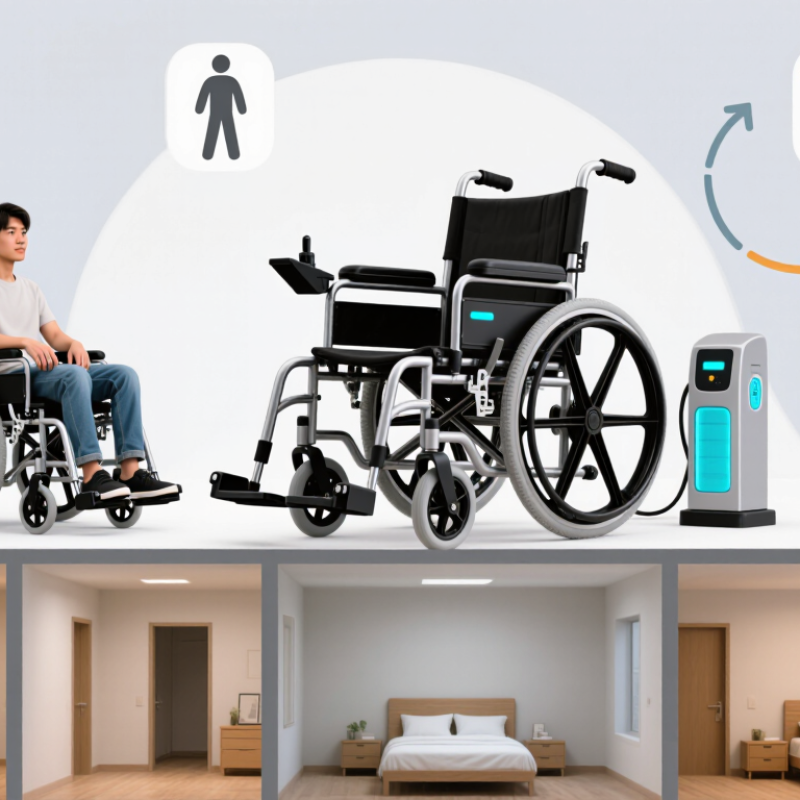
A remote-controlled wheelchair is a powered chair that can be guided by a wireless handset, often held by a caregiver. Depending on its design, the handset may steer and control speed while the seated user remains in the chair. Some systems let the user switch between a joystick and attendant control. It is not automatically self-driving: a person must still watch for doorways, pets, uneven pavement, and other hazards. The chair’s motors, battery, controller, brakes, and remote must work together reliably.
The WHO and UNICEF’s 2022 Global Report on Assistive Technology estimates that 2.5 billion people need one or more assistive products, while nearly one billion lack access. That broad figure includes many types of products, not wheelchairs alone. It still shows why suitable mobility support matters. WHO’s 2023 Wheelchair Provision Guidelines emphasize individual assessment, fitting, training, and follow-up. Those steps help determine whether remote operation suits a person’s strength, posture, home layout, and caregiver support. A narrow hallway can expose limitations quickly. So can a sloped driveway. A remote can help, but it cannot judge every hazard. And the controls may take practice.
A remote-controlled wheelchair typically has a handheld transmitter, a wireless receiver, and a motor controller. When an attendant presses a button, the transmitter sends a coded signal to the chair. The receiver passes that command to the controller, which adjusts the drive motors and steering. On some models, the remote is intended for an attendant rather than the seated user.
That distinction matters.
The controls may include forward, reverse, turning, and a stop button. Pressing a direction button usually moves the chair at a limited speed, while releasing it should stop movement. Exact behavior varies by model, so check the manual instead of assuming every remote works alike. Some chairs add speed limits or safety interlocks; obstacle detection is not universal.
Not magic.
Before use, test the remote on a clear, level surface and at low speed. Keep the chair within the stated operating range, and watch for rugs, door thresholds, and nearby feet. A weak battery or blocked signal can affect response. If the chair hesitates or continues unexpectedly, stop using the remote and consult a qualified mobility technician.
Remote control can make careful positioning easier, but it cannot replace attention or safe judgment. I would not treat it as a shortcut through a crowded room.
A remote-controlled wheelchair can give a caregiver precise control in tight spaces, such as a crowded café aisle or a narrow doorway. This may reduce repeated pushing and help position the chair beside a bed or table. For users with limited upper-body strength, attendant control can make short trips more manageable. The benefit depends on the chair’s design, the user’s needs, and safe training; remote control does not automatically make every route accessible.
The World Health Organization and UNICEF’s 2022 Global Report on Assistive Technology estimates that 2.5 billion people need one or more assistive products, while nearly one billion lack access. That broad gap includes many products, not only wheelchairs. Still, it underscores why practical mobility support matters. Remote operation can help caregivers navigate, but it may also reduce the user’s direct control. That trade-off deserves attention.
Tips: Test the chair in familiar spaces before using it outdoors. Check braking, battery level, and visibility, and agree on simple signals between user and caregiver. A small obstacle can change everything. I’d also reassess comfort after real-world use; a feature that seems helpful in a showroom may feel different after a long day.
| Mobility dimension | Potential benefit of remote control | Practical considerations |
|---|---|---|
| Attendant assistance | A compatible remote or attendant-control system can let a caregiver steer the powered wheelchair when the user cannot operate its usual controls or needs help in a particular situation. | Remote operation is not available on every wheelchair. Check who can control the chair, how control is transferred, and whether the setup suits the user’s needs. |
| Maneuvering in confined spaces | An attendant may be able to guide the chair through doorways, corridors, or crowded indoor areas when the user prefers or requires assistance. | Turning radius, chair width, control responsiveness, and the available space determine whether a route is suitable; remote control does not make an inaccessible space accessible. |
| Positioning and transfers | A caregiver may be able to reposition the chair nearby before or after a transfer, reducing the need to push or pull the powered chair manually. | Follow the chair’s instructions for transfers and parking. Use the prescribed braking or power-off procedure; never rely on a remote feature as a substitute for safe transfer technique. |
| Support when controls are difficult to use | Attendant control can provide an alternative way to move the chair when the user has difficulty reaching, operating, or reliably using the standard joystick or other input device. | A seating and mobility professional can assess suitable controls. Alternative user-operated inputs may also support independence and should be considered alongside caregiver control. |
| Shared mobility support | A remote-control option may help a caregiver assist with short movements in settings where the user needs support, while the user can still operate the chair themselves when appropriate. | The exact control arrangement varies by system. Confirm that both the user and caregiver understand how to operate it and respond to an unexpected stop or loss of connection. |
| Safety and route awareness | A caregiver controlling the chair can help guide movement when assistance is needed, provided they can see the route and surroundings clearly. | Remote control does not remove the need to watch for people, obstacles, slopes, traffic, and changes in terrain. Follow the manufacturer’s operating and safety guidance. |
Note: Remote-control functions and benefits depend on the wheelchair, control system, user, and environment. A qualified seating and mobility professional can help assess suitability.
A remote-controlled wheelchair may benefit someone who cannot comfortably propel a manual chair or steer a powered chair independently. An attendant can guide the chair through a long hospital corridor, across a busy entrance, or around a tight café table. This may reduce pushing effort and help a family member stay close without straining their shoulders. It can also be useful when fatigue varies from day to day. Some days are harder.
The right fit depends on the person, not just the device. A clinician or mobility specialist can assess posture, transfers, communication, and how the chair handles the user’s usual routes. For example, a steep driveway or loose gravel may require more planning than a smooth indoor floor. The user should be able to signal discomfort or request a stop, and the attendant should practise controls in a safe, open area. Still, remote control is not a perfect fix: it can limit the user’s direct control, and crowded spaces may remain difficult. Preferences can change, so it is worth reviewing the setup after real-world use.
A remote-controlled wheelchair should match the person’s daily routes, not just look capable in a showroom. Consider who will steer it: the user, a caregiver, or both. Test the controls from the user’s usual position, including when they feel tired. A supervised trial can reveal awkward reaches or delayed responses. Small details matter.
Check doorway width, turning space, slopes, and the surfaces encountered at home. Also assess seating, transfers, battery range, and how the chair behaves when carrying its usual load. WHO and UNICEF’s 2022 Global Report on Assistive Technology estimates that 2.5 billion people need assistive products, and nearly one billion lack access. This covers many product types, not wheelchairs alone. WHO’s wheelchair provision guidance emphasizes individual assessment, fitting, user training, and follow-up.
Ask about maintenance, replacement parts, charging, and who can help if the chair stops working. A published range may not reflect cold weather, hills, heavier loads, or frequent stops. Real routes are messier. If a caregiver uses the remote, check visibility and safe stopping distance in crowded spaces. Comfort can be overlooked during a short trial; consider a longer assessment with a qualified seating or rehabilitation professional.
It is a powered wheelchair guided by a wireless handset, often operated by a caregiver. The seated user remains in the chair. It is not self-driving.
Depending on the design, a caregiver may steer and control speed. Some chairs let users switch between a joystick and attendant control. Check who can reach each control comfortably.
A transmitter sends commands to a receiver, which passes them to the motor controller. The controller adjusts steering and drive motors. The exact response varies by model.
Test it on a clear, level surface at low speed. Try forward, reverse, turning, and stopping while watching the chair closely. Keep feet and pets clear.
No. A person must watch for doorways, rugs, pets, uneven pavement, and nearby feet. Obstacle detection is not universal. Not magic.
Match it to daily routes, doorway width, turning space, slopes, seating, transfers, and usual load. A showroom floor tells only part of the story.
Arrange a supervised trial from the user’s usual seating position, including when they feel tired. Notice awkward reaches or delayed responses. Small details matter.
Stop using the remote and contact a qualified mobility technician. A weak battery or blocked signal can affect response. I would not guess at the cause.
Not always. Hills, cold weather, heavier loads, and frequent stops can reduce practical range. Real routes are messier. Ask about charging and maintenance.
A Remote-Controlled Wheelchair is a powered mobility device that can be operated by the user or guided by a caregiver through a handheld remote. Its control system sends commands to the chair’s motors, allowing it to move, turn, or stop without relying solely on a traditional joystick. Depending on the design, remote operation may make it easier to maneuver the chair in tight spaces or position it nearby when the user is transferring.
This type of wheelchair may support greater convenience, independence, and caregiver assistance for people with limited strength, coordination, or mobility. It can be useful for individuals who need help navigating or positioning their chair, as well as caregivers who assist with daily routines. When choosing one, consider the user’s abilities, where the chair will be used, ease of control, safety features, comfort, battery range, and the level of caregiver support required. The right option should suit both the user’s needs and their everyday environment.